
This error may occur when you try to activate Office 365 for Apps. If signing out of all Microsoft 365 apps, and then sign in again doesn't work, you may try the following steps.
https://learn.microsoft.com/en-us/office/troubleshoot/activation/another-account-already-signed-in
For Windows devices, follow these steps:
Sign out of all Microsoft 365 apps, and then sign in again.
Click sign out and if another account shows up, continue to sign out until sign-in option appears.

If the issue still occurs, modify the OneAuth account store on the device:

Navigate to the %localappdata%\Microsoft\OneAuth\accounts folder. You'll see one <GUID> file, or multiple files that have different GUIDs if there are multiple accounts.

Open the files by using Notepad, examine the account_hints value, and identify the files that aren't associated with the account that you want to use to sign in.
In each file that's identified in step b, locate the association_status entry, change the association status of com.microsoft.Office to disassociated, and then save the file. For example, change
"association_status": "{\"com.microsoft.Office\":\"associated\",\"com.microsoft.Outlook\":\"associated\"}"
to
"association_status": "{\"com.microsoft.Office\":\"disassociated\",\"com.microsoft.Outlook\":\"associated\"}".
Try to sign in again.
If the issue persists, sign out of all Microsoft 365 apps, remove all folders in the following locations, and then sign in again:
%localappdata%\Microsoft\OneAuth
%localappdata%\Microsoft\IdentityCache
You can also try clearing all cached credentials saved by your browser sessions.
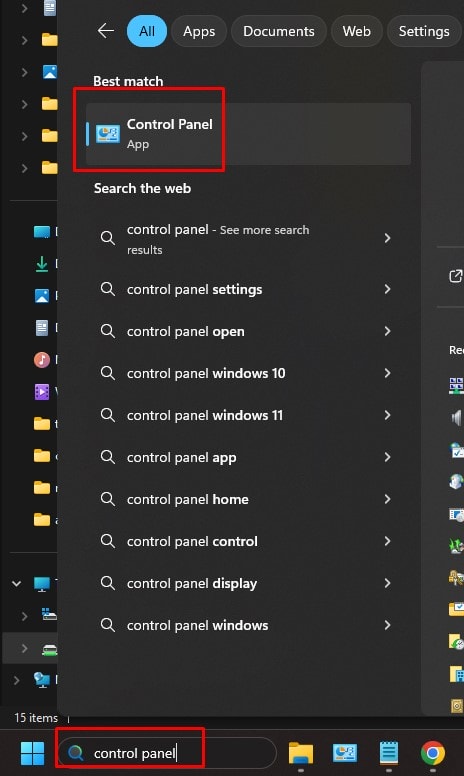
1. Open Control Panel.
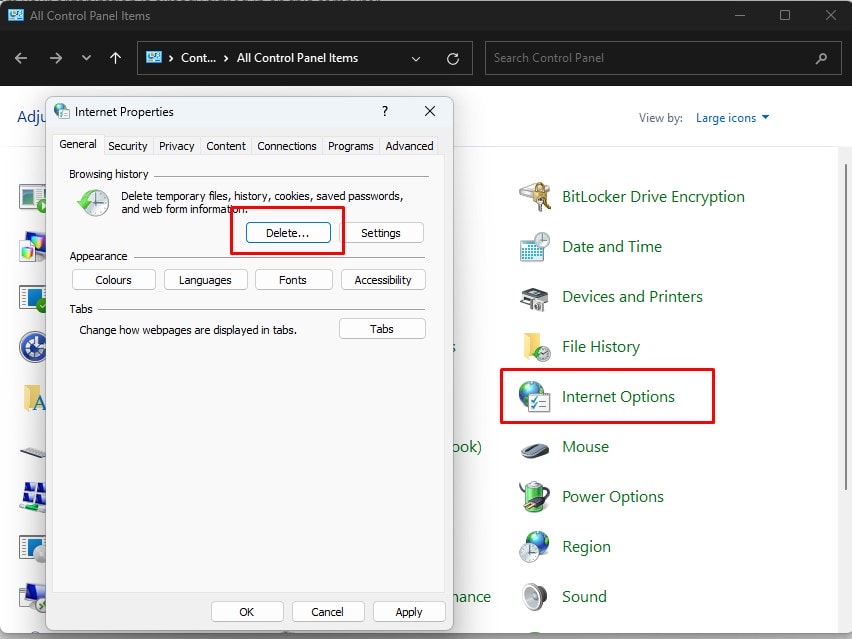
2. Select Internet Options, Advanced and click delete under browsing history.
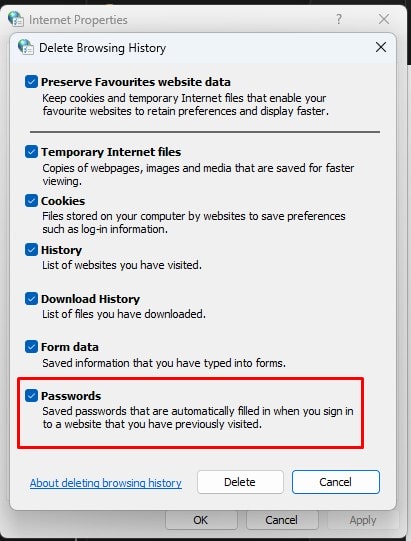
3. Check all box before clicking delete.
** Unfortunately for Office 365 Apps for Business unlike Office 365 Family product, it is licensed for single account on multiple devices while the later is for multiple accounts (shared) on multiple devices. This causes a lot of confusion on its usage as business users are not able to sign-in with both their Office 365 Apps for Business account together with their Business Office 365 user account simultaneously while it can be done for 365 Family.
This causes problem on recent document list which may show all signed-in users' documents.
