
A single domain may have multiple DKIM records for various servers that they are sending emails out from. (example Microsoft, hosting service or other 3rd party service provider)
If you have contact form or emails that have to be sent from your hosting server, you may need to ensure that its DKIM records are added to your authoritative DNS servers. Not setting it may cause emails sent from it to be rejected or classified as spam.
Depending on the type of admin portal for your hosting, you may obtain the DKIM keys from different locations.
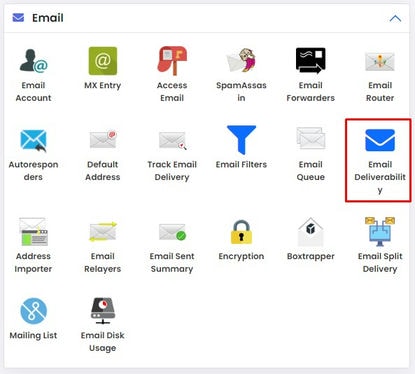
1. For PowerPanel, click DNS Email Deliverability under Email section.
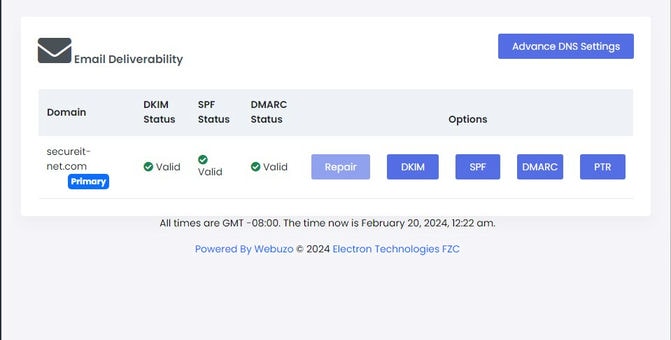
2. Various records like SPF, DKIM, DMARC and PTR can be obtained here.
3. Obtain the key by clicking on copy and also copy subdomain hostname (x._domainkey) to set the TXT record at your registrar's DNS server.
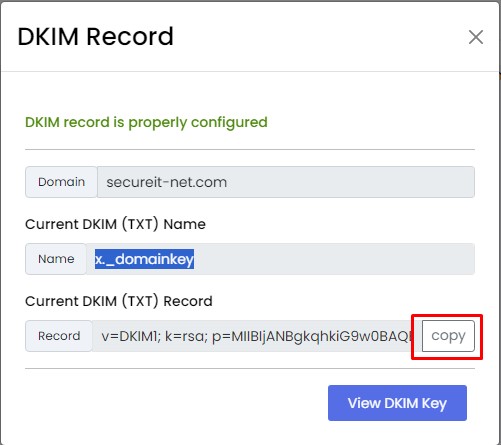
If the authorized DNS servers for your domain is your hosting server's DNS servers, then you do not need to do anything. Otherwise, you may need to copy the record and add it to the zone hosted by your other DNS provider. (e.g. your domain registrar)
If your administrative interface is Cpanel, you may follow the steps below to retrieve your DKIM record.
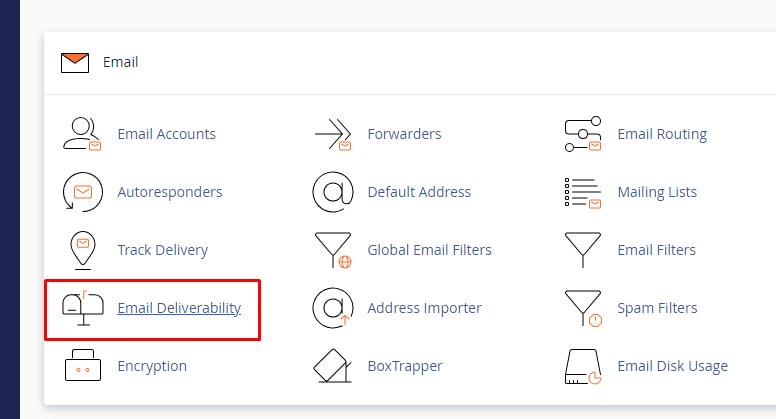
1. Login to your Cpanel admin portal (usually https://ip-address or hostname:2083), under Email sub-section, click on Email Deliverability.
2. Click on Manage option beside your domain.
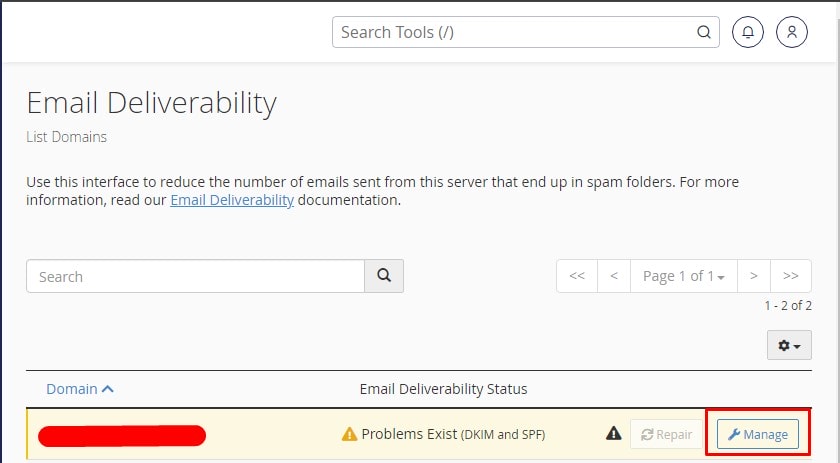
3. Copy the DKIM (TXT) record and add the TXT record to the authoritative DNS servers for your domain. (The DNS management portal hosting your domain's DNS zone.)
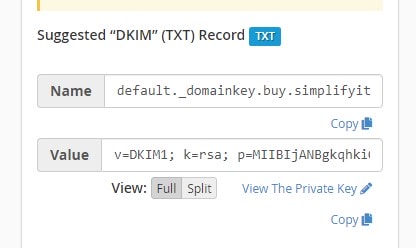
Once all these are done, your hosting server will be able to sign outgoing emails for your domain, specifying the DKIM selector value to query (in above cases x for PowerPanel and default for CPanel). Receiving mail server will then retrieve the public key for the DKIM selector value specified and verifies its authenticity.
Verified DKIM signature will pass the process while those that fails may be subject to further filtering processes specific to DMARC requirement.
DMARC entries are specified as _DMARC record with v=DMARC1; p=none/quarantine/reject; with p specifying the suggested weightage (report, quarantine or reject) to put to their SPF and DKIM records should one or both failed.
For quarantine option, you may specify a postmaster email of your domain (example rua=mailto:postmaster@simplifyit.com.sg;) to get DMARC reports on delivery issues.
Click here to find out how to setup DKIM records for Microsoft 365 email service?
